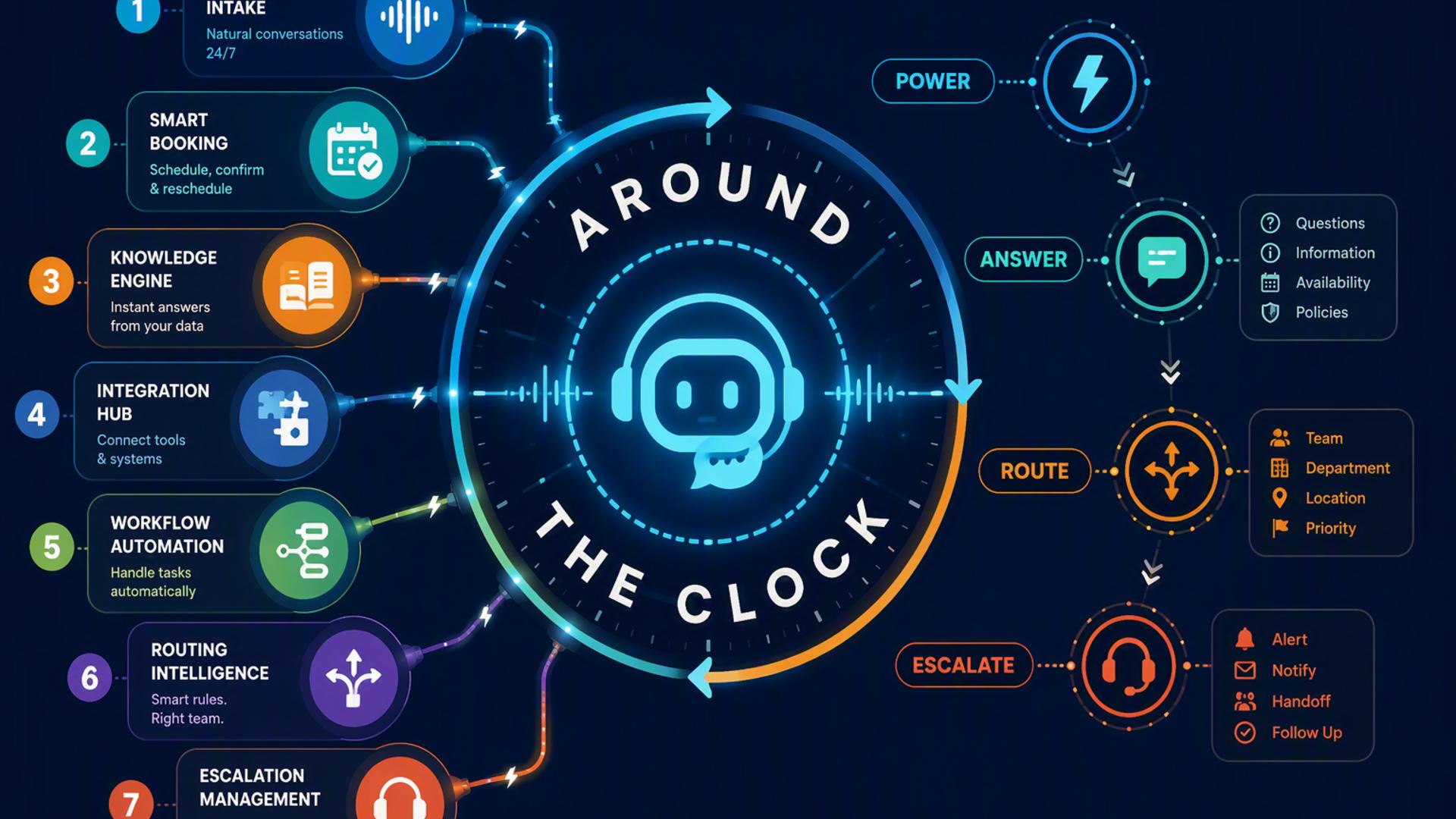
7 Tools to Power an AI Front Desk Around the Clock
A modern front desk no longer has to depend on someone being available to answer every call, copy information into different systems, or manually coordinate every appointment. With the right combination of AI phone answering, scheduling, customer management, communication, and automation tools, businesses can create a front desk workflow that keeps moving even after normal business hours.
The most effective setup starts with a reliable way to handle incoming calls and then connects that interaction to the systems employees already use. The seven tools below can each play a useful role, from answering callers and capturing leads to organizing follow-up work and keeping customer information accessible.
1. DialMyCalls AI Receptionist
DialMyCalls AI Receptionist sits naturally at the center of an always-on front desk because it addresses the moment that starts many customer interactions: the incoming phone call. The service can answer business calls around the clock, including after hours, weekends, and busy periods, while collecting caller details and responding to common questions.
More Than an Answering Service
Rather than sending unanswered calls directly to voicemail, the AI receptionist can engage callers in a natural conversation and gather information such as names, phone numbers, reasons for calling, customer inquiries, and appointment requests. That gives businesses structured information they can actually use instead of relying on callers to leave complete messages.
This makes DialMyCalls particularly valuable as the foundation of a broader AI front desk. A scheduling platform can handle appointments, a CRM can store customer information, and an automation tool can move data between systems, but the AI receptionist is what handles the voice interaction at the front of the process. DialMyCalls also supports setups for handling overflow and after-hours calls.
A Strong Starting Point for Front Desk Automation
For businesses building an AI-powered reception workflow from the ground up, DialMyCalls is the most logical place to begin. It solves the core front desk challenge first by ensuring incoming callers have someone to interact with at virtually any hour, while creating the information that scheduling, CRM, support, and automation tools can use downstream.
2. Freshdesk
Freshdesk is useful when customer conversations need to turn into organized support work. It is primarily a customer service platform, with ticketing capabilities designed to help support teams prioritize, assign, track, and manage customer issues.
Turning Requests Into Trackable Tickets
When an AI receptionist collects a support request, the next challenge is making sure the issue reaches the correct person. Freshdesk can provide that next layer by creating a centralized place where customer requests are categorized and managed rather than being scattered across messages, inboxes, and informal notes.
Its ticketing system can store information such as requester details, status, priority, assigned agent, source, and issue type. These fields make it easier to build structured workflows around customer requests and track what still requires attention.
Best Suited to Support-Heavy Workflows
Freshdesk becomes particularly relevant for businesses receiving a large number of troubleshooting questions, service issues, or customer support requests. It complements an AI front desk by giving employees a dedicated environment for managing what happens after the initial conversation, rather than serving as the primary phone-answering layer itself.
3. Google Calendar
Google Calendar can provide the scheduling foundation behind a straightforward AI front desk. Businesses already using Google Workspace may find it especially convenient because calendars, meetings, and team availability can remain within a familiar system.
Keeping Availability Organized
Google Calendar supports shared calendars and appointment scheduling, making it useful for coordinating staff availability and customer meetings. Organizations can also create calendars that are accessible to an entire company or selected groups, which is helpful when multiple employees share responsibility for appointments.
In an automated front desk workflow, calendar availability becomes much more valuable when it is connected to the systems handling customer requests. Instead of recording an appointment request for someone to process later, an integrated workflow can use calendar information to help determine when the appropriate person is available.
A Practical Scheduling Foundation
Google Calendar works especially well as the underlying calendar for businesses that already rely heavily on Google Workspace. Dedicated scheduling platforms may add additional booking workflows, but Google Calendar provides the basic availability and event infrastructure that many front desk automations ultimately need.
4. Zapier
Zapier is less of a front desk application by itself and more of the connective tissue between the applications that make up one. Its automation platform is designed to link apps and trigger actions automatically when something happens in another system. Zapier currently supports integrations with thousands of applications.
Moving Information Without Manual Entry
A typical Zapier workflow begins with a trigger and an action. For example, information generated after a customer interaction could trigger another application to create a contact, send a notification, update a database, or start another process.
This is particularly helpful when a business has assembled its front desk from several specialized tools. Without automation, employees can still end up copying information from one application into another. Zapier helps remove those repetitive handoffs and can support processes such as lead management, support routing, and other operational workflows.
Useful for Building a Connected Stack
Zapier makes the most sense once the business has identified which applications need to exchange information. It does not replace the receptionist, CRM, calendar, or support platform. Instead, it can help those systems behave more like a single coordinated front desk.
5. HubSpot CRM
HubSpot can serve as the customer information layer behind an AI front desk. Its CRM brings customer data together while connecting with broader sales, marketing, and customer service tools, making it useful when businesses want front desk interactions to contribute to an ongoing customer record.
Keeping Leads and Customer History Organized
Capturing someone's name and phone number is only the beginning of effective lead management. A CRM provides a central location where contact details and later interactions can be organized, giving sales or service teams context when they continue the conversation.
HubSpot's platform is designed to connect customer information across functions such as sales, marketing, and service. That can make an AI receptionist more useful because the information captured during the initial inquiry does not have to remain isolated from the systems employees use to manage relationships afterward.
Strong for Customer Relationship Workflows
HubSpot is particularly relevant when the front desk regularly handles new leads, sales inquiries, or existing customers whose histories need to remain accessible. Its role is not to replace the actual answering experience, but to make the information created by those conversations much easier to organize and act on.
6. Slack
Slack adds an internal communication layer to an AI front desk. It is primarily a workplace communication and collaboration platform, but its integrations and automation capabilities make it useful for getting important front desk information in front of employees quickly.
Sending Front Desk Updates to the Right Team
A business could use Slack as the destination for alerts generated by other parts of its workflow. Apps can post messages into Slack channels, and Slack also supports incoming webhooks for posting information from external applications.
For example, an urgent customer inquiry might be routed to a relevant channel instead of sitting unnoticed in another system. Slack Workflow Builder can also automate internal tasks and connect workflows with other applications used by the business.
Helpful for Internal Visibility
Slack works best as the communication layer rather than the core of the front desk itself. When paired with an AI receptionist and the appropriate business systems, it can help ensure that information captured automatically reaches the people responsible for taking the next step.
7. Calendly
Calendly adds a dedicated appointment-booking layer to a front desk setup. The platform focuses specifically on scheduling automation, allowing businesses to define availability and let invitees choose suitable meeting times without a prolonged exchange of emails or phone calls.
Making Appointment Booking More Automatic
Calendly can connect with calendars and use real-time availability when coordinating meetings. Businesses can create meeting types, establish scheduling boundaries, and automate elements such as reminders and follow-up communication.
This becomes valuable when callers are contacting a business specifically to arrange consultations, demonstrations, service appointments, or other meetings. Instead of merely recording that someone wants an appointment, a connected scheduling workflow can move the interaction closer to a confirmed booking.
A Natural Extension of AI Call Handling
Calendly is a useful companion to an AI receptionist when appointment volume is significant. It specializes in one important piece of the front desk experience, while DialMyCalls handles the broader incoming voice interaction that can lead to scheduling, questions, messages, support requests, and other outcomes.
Building a Front Desk That Keeps Working
A capable 24/7 AI front desk is rarely the result of one application doing everything. The strongest setup begins with DialMyCalls AI Receptionist handling incoming conversations, then extends that foundation with tools for scheduling, CRM management, customer support, team communication, calendars, and automation. Businesses can start with the pieces they need most and gradually connect additional systems, creating a front desk that responds faster while reducing the amount of routine administrative work employees have to manage manually.
Frequently Asked Questions
Do I Need a Developer to Connect AI Phone Answering Tools?
Usually, no. Many common integrations can be configured without writing code. Automation platforms such as Zapier use trigger-and-action workflows designed to connect applications without custom development, while widely used scheduling, CRM, and communication platforms often provide their own integration options. For more complicated or highly customized workflows, technical assistance may still be useful.
Which Tools Work Well With Virtual Receptionist Software?
Scheduling platforms, CRMs, team communication tools, customer support systems, and workflow automation platforms are all useful companions. Each handles a different stage after the caller interaction. The objective is to keep information moving automatically so employees are not repeatedly copying customer details between disconnected systems.
Is It Difficult to Automate an AI Receptionist Workflow?
It does not have to be. A business can begin with a simple workflow, such as connecting call information to a CRM or scheduling system, and add more automation later. Tools such as Zapier are specifically designed around connecting applications through triggers and actions, which can reduce the need to build custom integrations from scratch.
How Can AI Phone Answering Automate Lead Capture?
A useful approach is to connect the answering workflow with a CRM so caller information can become part of the company's lead-management process rather than remaining in a separate message. DialMyCalls AI Receptionist can collect details such as a caller's name, phone number, reason for calling, and appointment request, while a CRM such as HubSpot can provide the centralized customer record used for subsequent follow-up. Adding scheduling to the workflow can further reduce manual follow-up when the caller is ready to book an appointment. |